


MyPetiteCar.com
SimRuito RT31 USB Load Cell Handbrake | Sim Racing Handbrake for PC
SimRuito RT31 USB Load Cell Handbrake | Sim Racing Handbrake for PC
Couldn't load pickup availability
Key Features
- 200kg Load Cell — A 200kg load cell sensor measures the force you apply to the brake, so input is accurate and consistent.
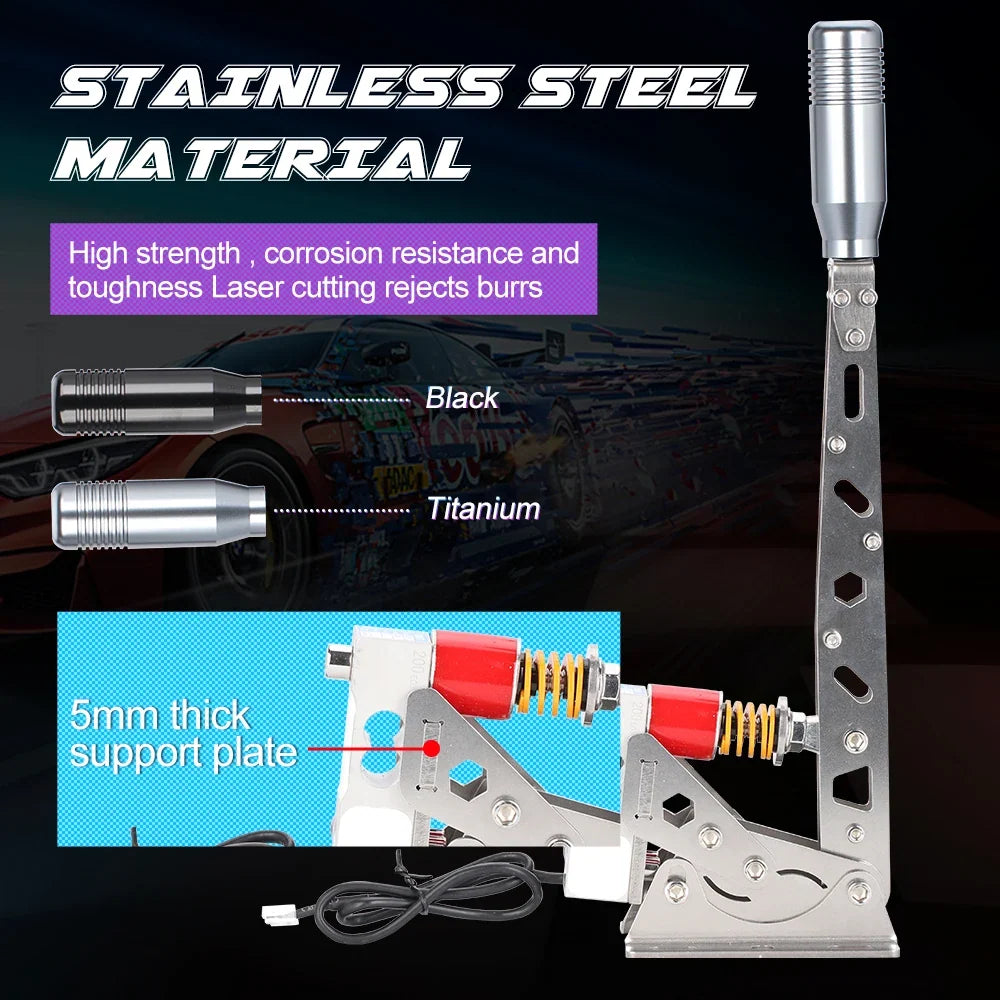
- Stainless Steel Build — The stainless steel construction gives the handbrake a sturdy feel during long racing sessions.
- USB Plug-and-Play — It connects over USB and works without extra drivers.
- Linear and Button Modes — Linear axis mode reads the exact amount of brake pressure you apply, while button mode works as a simple on/off switch.
- Paddock Software — The Paddock v2.1.0 software lets you adjust the force curve, dead zones and output modes.
Product Specifications
- Material: Stainless steel
- Sensor: Taiwan MAVIN 200 kg load cell
- Connection: USB (driver-free)
- Software: SimRuito Paddock v2.1.0
- Compatibility: Windows 7-11 and Linux
- Included items: 1 x SimRuito RT31 Handbrake, 1 x USB Cable, 1 x Mounting Hardware
What It Is / How It Works
This USB handbrake is a sim racing handbrake for PC. It is built around a 200kg load cell sensor and a stainless steel body, and it is designed for drivers who want a dedicated brake control in their simulator setup.
Who It's For / Use Cases
Sim racers who want a dedicated handbrake for drifting and rally driving will find the load cell input suited to those styles of driving. Gamers playing Euro Truck Simulator 2 who need precise parking and maneuvering control can use it for truck simulation. Enthusiasts building a realistic sim racing cockpit and competitive racers who need adjustable settings to fine-tune their brake feel are also well matched to this handbrake.
How to Use / Care
- Use the handbrake for drifting, rally and truck simulation games, where the 200kg load cell sensor gives accurate input.
- Set the output to linear axis mode when you want the game to read the exact amount of brake pressure you apply.
- Use button output mode when you want the handbrake to act as a simple on/off switch.
How to Choose
Choose the output mode first. Linear axis mode suits games that read analog brake pressure, and button mode suits games that expect a simple on or off input. Next, check the operating systems in the Compatibility row of the Specifications section. Finally, consider how you will mount it, since the included mounting hardware suits most aluminum profile or pre-drilled rigs.
Frequently Asked Questions
Does it need software to work?
No, it works plug-and-play as a standard game controller. The Paddock software is optional for customizing the force curve and settings.
Will it work alongside a Logitech G29 wheel?
It connects directly to the PC via USB and works as a separate device alongside any steering wheel.
Will it work with Forza Horizon 5?
The handbrake is recognized as a USB controller and can be mapped in Forza Horizon 5 and most other PC racing games.
Is it difficult to mount to a racing rig?
It includes mounting hardware and can be attached to most aluminum profile or pre-drilled rigs.
What is the difference between linear axis and button output mode?
Linear axis mode lets the game read the exact amount of brake pressure you apply. Button output mode acts like a simple on/off switch.
Share




Featured collection
-
Example product title
Regular price $19.99 USDRegular price -
Example product title
Regular price $19.99 USDRegular price -
Example product title
Regular price $19.99 USDRegular price -
Example product title
Regular price $19.99 USDRegular price -
Example product title
Regular price $19.99 USDRegular price -
Example product title
Regular price $19.99 USDRegular price